Elite Dangerous

Since lockdown began earlier this year, I found myself revisiting an old game I’ve played a lot of before, Elite Dangerous. I’m not sure if it was the isolation of lockdown, but the thought of revisiting a full-scale recreation of the Milky Way galaxy with some friends was really appealing to me.

Elite Dangerous is an open-ended game which is very hands-off with the player; it’s totally up to you, the pilot, as to what you spend your time doing. You could go searching for riches in the rings of a gas giant. You could bring criminals to justice as a bounty hunter. You could seek out strange new worlds as an explorer. You can even become a space trucker and deliver goods and people around the galaxy, seeing the beautiful sights as you go.

And what a beautiful game it is. The 1:1 scale recreation of our galaxy looks absolutely stunning. Even though I’ve played hundreds of hours, I still find myself stopping to take it all in, admire the scenery and capture a few screenshots. The first time I happened across a neutron star I was blown away — almost literally, as I got a bit too close and almost got crushed in it’s gravity. The game also looks simply incredible in VR and really has to be seen to fully appreciate.

What I quite like about each of the game activities is the difference in pace and feel. This means you can pick the right activity for your mood. Maybe you’re not feeling up to hunting down space pirates? No problem, take your trusty mining ship out for a spin.

There’s something quite therapeutic and peaceful about asteroid mining in Elite. Trawling the depths of an asteroid field looking for precious materials is oddly relaxing and satisfying in equal parts. The environment is very atmospheric.
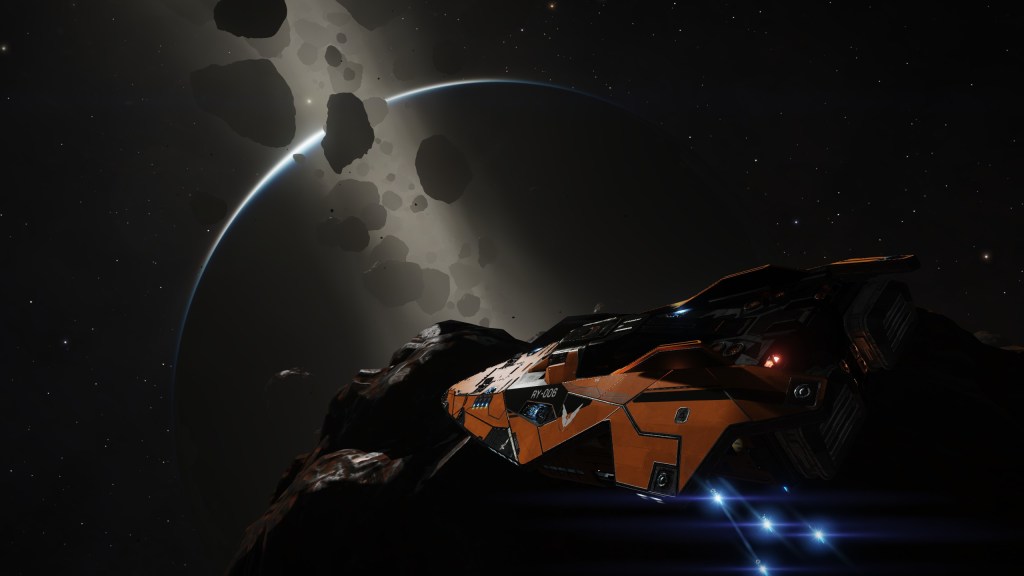
Within Elite’s virtual galaxy players can explore over 400 billion star systems, with 150,000 of them modelled on real astronomical data. The planets orbit in real time too, giving you a day/night cycle.

The way you interact with the galaxy is mostly from the confines of the pilot’s seat, but you can also take your ship down to the surface of a planet, and take a six-wheeled surface vehicle out for a spin too.
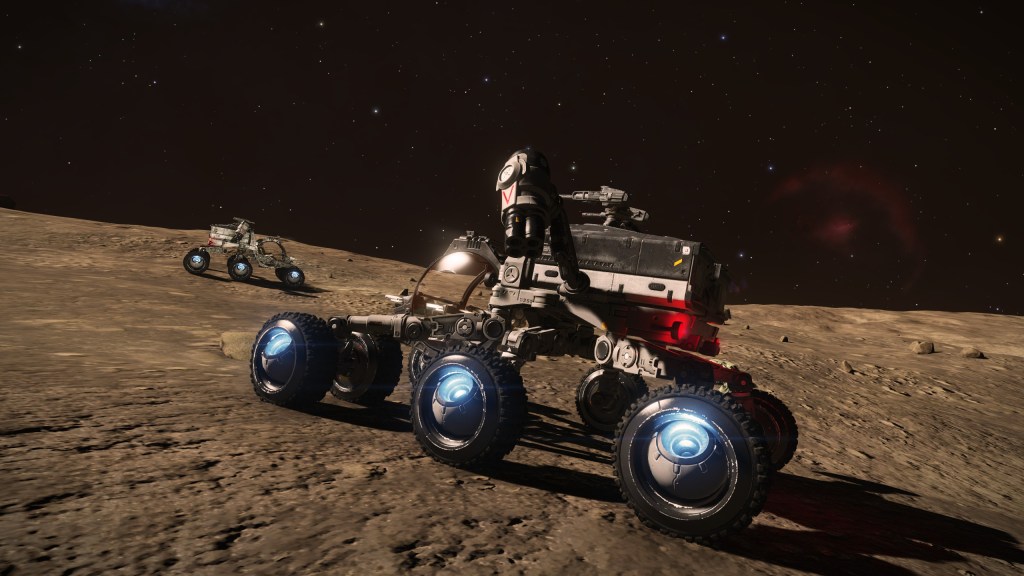
Although sadly there’s only one type of surface vehicle, there are over 38 different starships to try out, each with it’s own unique look and feel, inside and out. From the utilitarian look of the Krait MkII to the luxurious Imperial Cutter and everything in between.

Some of the ships can be outfitted for multiple roles, whereas others are more suited to a single role. Each ship handles very differently too, from nimble single-seat fighters to multi-deck leviathans. The way you outfit them affects their handling and ultimately how well they perform. Thankfully you can operate multiple and switch between them so you aren’t forced to compromise.

Every ship is customisable, from external modules like weapon hardpoints, and point defense, to things like thrusters, power plants and armour. You can engineer your modules to give them new capabilities and make each ship uniquely yours. There are even some ancient alien artifacts to recover, letting you create some hybrid human/alien technology and give your ship that extra kick.

Sure, there are some issues with the game. The economy isn’t as deep and sophisticated as EVE Online’s, and there’s quite a lot of grind involved to really make the most of some of the game systems (engineering I’m looking at you).

But once you’re out there in the black, somehow none of that seems to matter anymore.

Sometimes all you need is a tall ship and a star to steer her by.


The Future of Mac

Hot on the heels of their iPhone announcement, Apple has returned with a special event all about the future of the Mac.

Back in June, Apple announced they were migrating the Mac away from Intel processors to their own custom silicon. Though their A-series chips have long provided iPhones with industry-leading performance, until yesterday’s event we weren’t sure how this would translate to the Mac.

This is the Apple M1.

Let’s start with the specs; Apple’s M1 uses a 5nm process, packing 16 billion transistors, 4 high-performance cores, 4 high-efficiency cores, an 8 core GPU and the RAM, all in one compact System on a Chip (SoC) design.

We’ll have to wait for real benchmarks to compare, but Apple claims that the high-performance cores are the “world’s fastest CPU core” when it comes to “low-power silicon”.

Then there are the high-efficiency cores which offer similar performance to the current MacBook Air with Intel, but use 1/10th of the power. That’s a pretty huge improvement. Lower power usage means lower heat generated, which allows Apple to forgo the fan in one of the new models, so it runs silently!

In fact, the entire SoC offers three times the “performance per watt” as the outgoing models, meaning these new Macs can do far more with far less juice. Hopefully this means they’ll run quieter and cooler, but we’ll need to try them out with real workloads to find out.

New Macs

The first new product announced was the MacBook Air. It shares the same physical design as its predecessor, but offers 3.5X faster CPU performance, 5X faster graphics, 2X faster SSD and a huge 18 hours of battery life. All with a silent design.

There was also a rather substantial update to the Mac Mini, with 3X faster CPU and 6X faster graphics, allowing the tiniest Mac to drive an enormous 6K monitor. That’s a lot of pixels to push around for such a compact computer, and a great way for an existing PC owner to switch to the Mac ecosystem, whilst retaining their existing display and other peripherals.

Finally, the 13″ MacBook Pro was updated, with 2.8X faster CPU, 5X faster graphics and 20 hours of battery life.

Transition

I’ve been through a processor transition myself back when Apple switched from PowerPC to Intel, so I’m familiar with how challenging this is. Last time around they introduced Universal Binaries which contain architecture-specific code for both platforms, so that developers could still distribute a single binary to their customers.

Apple has gone for this approach again, which keeps things simpler for end-users, but it does have a downside. Universal Binaries contain two sets of the same code, one compiled for Intel and one for Apple Silicon, making them larger in size.

I remember back with the PowerPC migration there were tools that would strip the code that didn’t apply to your Mac, to save disk space. I think people tend to have more storage space these days, but maybe we’ll see similar tools this time around.

I think this approach works well because end-users don’t have to think about anything, “it just works”. But what if a developer doesn’t update their app right away? Well another technology from the last migration is back, called Rosetta. Rosetta is an emulation layer built into the OS, which seamlessly runs Intel-specific code, converting it to ARM-specific instructions on the fly.

The trade-off is the app can’t run at full speed when emulated. Is this a problem? Apple doesn’t think so. They claim Rosetta is so fast some apps performed better being emulated on Apple Silicon than they did running natively on Intel. That’s pretty crazy to think about.

During the last transition I remember using Microsoft Office on my Intel Mac, which was compiled for PowerPC. You could tell it wasn’t as fast as the native apps, but it wasn’t a big deal at all. In fact I wrote my University dissertation this way thanks to Rosetta.

One possible sticking point for developers might be Docker, which supports containerisation on macOS via a built-in Linux virtual machine. Although Docker can update their code to support the new native virtualisation APIs of macOS, the Docker images themselves are still architecture-specific. I’m not really sure how they’re going to tackle this issue, but it might be enough to make developers hold off upgrading for now.

Intel’s woes

These are already some pretty impressive looking specs; what Apple’s silicon team has managed to do in just a few years is simply incredible. Remember too that this is just the start. We’ve still to see what they have in mind for the higher end systems, such as the 15″ MacBook Pro, the iMac Pro, and the Mac Pro.

It’s interesting that in just a few short years Intel has managed to lose their technology lead. They now face strong competition from AMD, who recently knocked it out of the park with their Zen 3 architecture. They’ve also lost Apple as a customer for both CPUs and GPUs, whose strong opening here proves they were right to go their own way.

Intel now needs to play a lot of catch-up, but earlier this year the company announced they were delaying their 7nm process by a further six months to 2022. AMD projects they will be releasing their 5nm chips by the end of 2022, so will Intel be too late?

What’s next?

With such a great start, I’m excited to see what the remaining Mac models might look like with Apple Silicon inside. I’m also curious if we’re going to see any other technologies make it in to the Mac, such as Face ID or ProMotion displays, both notably missing from any Mac in the lineup.

Hopefully Apple won’t keep us waiting too long to find out.